
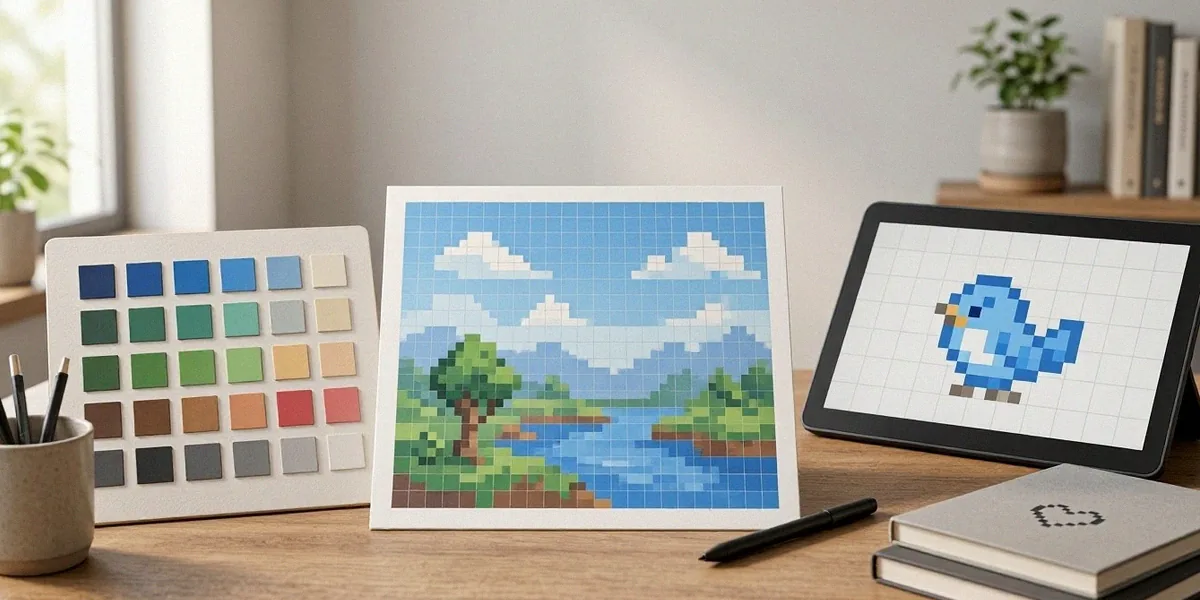
Pixel Art Basics: Palettes, Grids and Tools for Beginners
Pixel art is having a moment in Australia, and honestly, we’re here for it. What started as a nostalgic nod to 8-bit and 16-bit consoles has grown into a thriving creative discipline, one that feeds directly into the digital collectibles scene, from trading card drops to generative art projects. If you’ve been scrolling through pixel art Australia hashtags and wondering where to start, this guide is for you. We’ll walk through grids, palettes, tools, techniques, and the traps to avoid, all with a local lens.
Understanding Pixel Art: Grids and Resolution
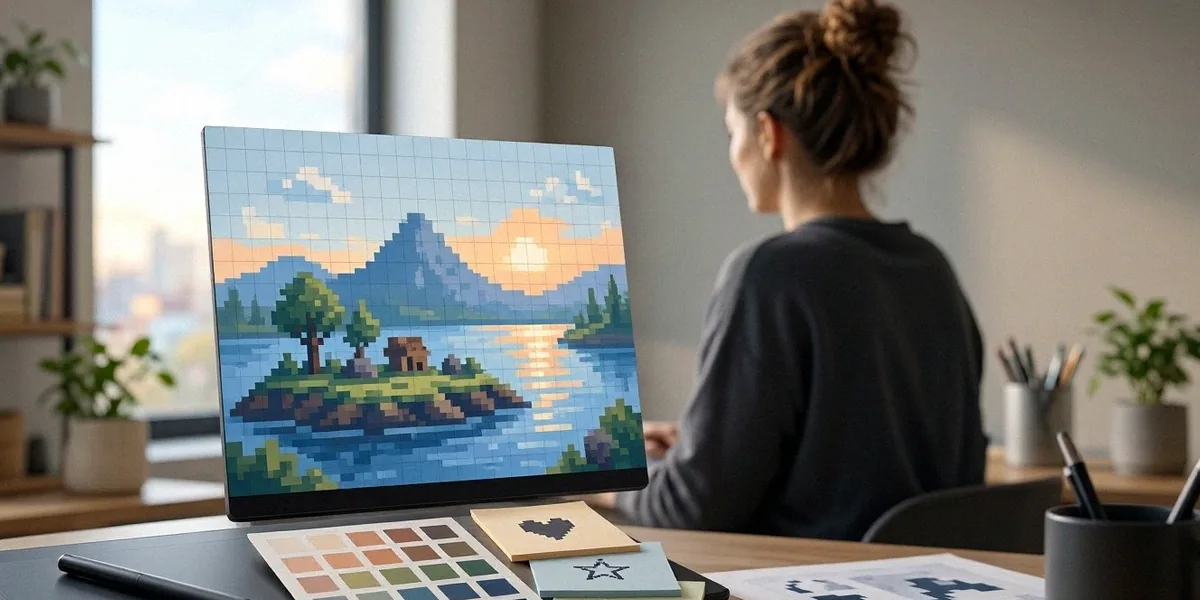
Every pixel art piece begins with a grid. Understanding how that grid works, and how big it should be, is the difference between a clean sprite and a muddy mess. Here’s how we think about it.
What is a Pixel Grid?
A pixel grid is simply the canvas of individual squares you place colour into. Each square is one pixel, and there’s no sub-pixel trickery, no blurring, no smoothing. When you zoom in, you see the grid. When you zoom out, the image resolves into something readable. This constraint is what gives pixel art its charm, and it’s also why so many Australian artists in communities like the Melbourne Pixel Art Meetup treat the grid as a discipline rather than a limitation. Once you accept that every pixel matters, your work gets sharper fast.
Choosing Your Canvas Size
Beginners often start too large. We recommend beginning small and scaling up your ambitions later. Common starting sizes include:
- 16×16 — perfect for icons, small items, and single characters
- 32×32 — the classic sprite size for retro-style characters
- 64×64 — great for detailed portraits or larger props
- 128×128 and beyond — better once you’ve mastered the basics
Smaller canvases force you to make deliberate choices. If you can make a 16×16 sprite read clearly, you can handle anything.
Resolution and Scaling
Pixel art should always be scaled by whole numbers. Doubling a 32×32 image to 64×64 keeps every pixel crisp. Scaling by 1.5x or 2.3x introduces uneven pixels and destroys the aesthetic. When exporting for social media or a digital collectible listing, always export at 1x or a clean multiple like 4x or 8x. This is one of the first habits we encourage new artists to build, because fixing it later is painful.
Choosing Your Palette: Color Theory for Pixel Artists
Colour is where pixel art lives or dies. With so few pixels to work with, every hue carries weight. Limited palettes aren’t a restriction, they’re a superpower.
Limited vs. Unlimited Palettes
A limited palette means you work with a fixed set of colours, often 8, 16, or 32. The PICO-8 palette, with its 16 carefully chosen colours, is a favourite among beginners because it forces harmony. The DB32 palette (DawnBringer 32) is another popular option, offering a broader but still disciplined range. Australian creators regularly use these in projects like the Adelaide Fringe digital art showcase, where tight palettes help small pieces pop on screens of all sizes. Unlimited palettes sound freeing, but they usually lead to inconsistent, muddy results for newcomers.
Color Ramps and Shading
A colour ramp is a sequence of shades moving from dark to light for a single material or hue. Instead of jumping from red to pink, you build a ramp: deep maroon, mid red, warm red, soft pink, highlight. Good ramps often shift hue slightly as they lighten, adding warmth or coolness that mimics real light. This is how you get depth without needing hundreds of colours.
Tools for Palette Creation
You don’t need expensive software to build a palette. Free options like Lospec’s palette editor, Adobe Color, and Coolors let you experiment quickly. Many pixel artists also keep a personal palette file they reuse across projects, which builds visual consistency over time. We suggest saving your favourite ramps and revisiting them, it’s how a personal style emerges.
Essential Tools for Pixel Art Beginners
The good news: you don’t need much to start. The better news: the Australian digital art community is generous with recommendations and resources, often shared through Discord groups and local meetups.
Free vs. Paid Software
Here’s a quick rundown of what we recommend:
- Aseprite — the industry standard, paid but affordable, with animation and tilemap tools built in
- Piskel — free, browser-based, excellent for absolute beginners
- GraphicsGale — free, older interface but powerful for frame-by-frame animation
- LibreSprite — a free, open-source fork of an older Aseprite build
- Pixilart — free and social, great for sharing work and getting feedback
If you’re serious, Aseprite is worth the one-off cost. If you’re testing the waters, Piskel or Pixilart will get you moving today.
Hardware Considerations
Pixel art runs on almost anything. A basic laptop, a mouse, and a keyboard are enough to start. A drawing tablet helps for sketching but isn’t essential, many pixel artists work entirely with a mouse. What matters more is a screen with good colour accuracy and a comfortable setup for long sessions.
Online Communities and Tutorials
Beyond the Melbourne Pixel Art Meetup, there are active Australian pixel art Discord servers, Reddit communities like r/PixelArt, and YouTube channels dedicated to technique. Tutorials from creators like Brandon James Greer and AdamCYounis are widely recommended. Don’t lurk forever, post your work, ask for critique, and return the favour when you can.
Techniques and Tips for Clean Pixel Art
Clean pixel art comes down to a few core techniques. Get these right and your work will look professional even at tiny sizes.
Line Work and Outlines
Outlines define shapes, but not every outline should be black. Selective outlining, where the outline colour shifts based on the adjacent fill, creates a softer, more integrated look. Avoid jagged lines by keeping curves consistent, a common rule is the “no doubles” principle, where a line never doubles back on itself awkwardly.
Shading and Dithering
Dithering is the technique of alternating pixels between two colours to create the illusion of a third. It’s a hallmark of classic games and still used today. Modern Australian indie titles like ‘The Artful Escape’ by Beethoven & Dinosaur show how far stylised digital art can go, blending painterly visuals with pixel-inspired precision. Anti-aliasing, adding intermediate pixels to smooth edges, should be used sparingly in pixel art, too much and your sprite turns into a blurry blob.
Animation Basics
Start with a bouncing ball. Then a blinking character. Then a simple walk cycle with four to six frames. Animation in pixel art is about exaggeration and clarity, small movements read better than subtle ones. Keep your frame counts low and your silhouettes strong.
Avoiding Common Pitfalls and Scams
The digital art world is exciting, but it has predators. We want every Australian pixel artist to know their rights and their risks.
Copyright and Licensing
In Australia, your artwork is automatically protected by copyright the moment you create it. You don’t need to register. If you’re selling or licensing work, be explicit about terms, whether it’s personal use, commercial use, or exclusive rights. Australian Consumer Law also protects you against misleading sales practices, including false claims about what you’re buying or selling.
Recognizing NFT Scams
NFT scams targeting pixel artists are common. Red flags include:
- Unsolicited DMs offering to “mint” your art for a fee
- Platforms asking for upfront crypto payments with no contract
- Buyers requesting you send the artwork before payment clears
- Fake marketplaces mimicking legitimate ones
If something feels rushed or too good to be true, it usually is. Report suspicious activity to the ACCC via Scamwatch.
Safe Platforms for Selling
Established platforms like Etsy, Ko-fi, Gumroad, and OpenSea (with caution) offer buyer and seller protections. For Australian artists, local marketplaces and in-person events like the Adelaide Fringe digital art showcase also provide safer, community-vetted avenues for exposure and sales.
FAQ
Do I need expensive software to start pixel art?
No. Free tools like Piskel, Pixilart, and LibreSprite are more than enough to learn the fundamentals. Upgrade to Aseprite later if you find yourself hitting limitations.
What canvas size should a beginner start with?
We recommend 16×16 or 32×32. Small canvases teach discipline and force you to make every pixel count, which builds skills faster than starting large.
Is pixel art considered real art in Australia?
Absolutely. Pixel art is recognised as a legitimate digital art form, featured in galleries, indie games, and public showcases across Australia, including events like the Adelaide Fringe digital art showcase.
How do I protect my pixel art from being stolen or scammed?
Keep records of your creation process, watermark previews, use reputable platforms, and know your rights under Australian Consumer Law. If a deal feels off, walk away and report it.
Where can I meet other pixel artists in Australia?
The Melbourne Pixel Art Meetup is a great starting point, alongside Discord communities, Reddit, and local game dev groups in most capital cities.
Pixel art rewards patience more than talent. Start small, pick a limited palette like PICO-8, keep your grids clean, and don’t be afraid to share rough work with the community. Australia’s pixel art scene is welcoming, from the Melbourne Pixel Art Meetup to the creators showing work at the Adelaide Fringe digital art showcase. Stay curious, stay cautious about scams, and keep experimenting. Every sprite you finish teaches you something the next one will use.